01 / SOFTWARE
ARTCARD Program
Windows app for applying compatible designs to your Apple Wallet cards.
$7.99

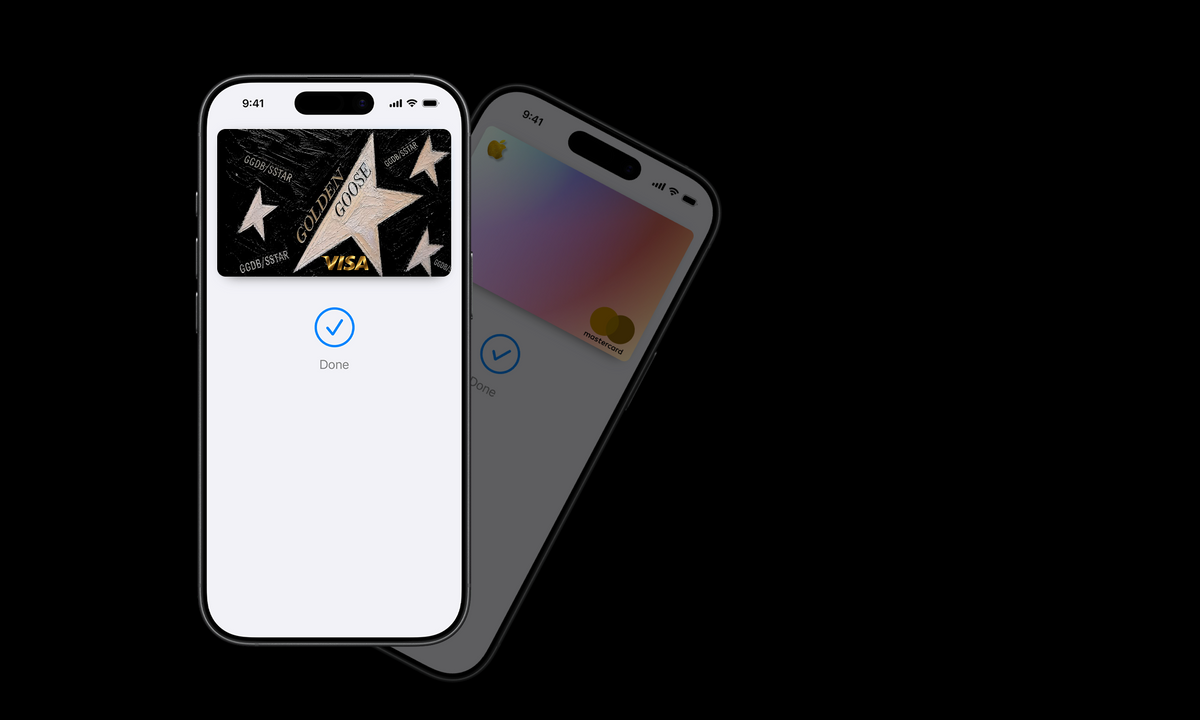
THE ARTCARD EXPERIENCE
Exclusive Apple Wallet designs. A new look for the cards you use every day.
Windows app for applying compatible designs to your Apple Wallet cards.
A curated starter collection of visual styles for your Wallet cards.
A new collection of designs is in development.
Program + Design Pack 1 + Design Pack 2
Meet ARTCARD
ARTCARD is a Windows companion app and a growing library of visual designs for compatible Apple Wallet cards. Choose a look that fits you, then follow the setup steps to apply it using the app.
01 / APP
A Windows application for managing compatible card artwork and applying designs from your computer.
02 / PACK
A curated starter collection of visual styles for refreshing your Wallet cards.
03 / PACK
An expanded collection for people who want more styles to choose from.
Quick start
Download the ARTCARD Program and the design pack included in your order from the digital download links.
Extract the downloaded archive if needed, then launch the app. Only install files obtained from the official ARTCARD purchase/download page.
Connect your iPhone to the PC using a data-capable USB cable and unlock the phone. Follow any trust or device prompts shown on the devices.
Select a supported card and a design in ARTCARD, then follow the app’s on-screen instructions. Availability may depend on the card and iOS version.
Important: ARTCARD changes visual artwork only where supported. It does not create payment cards, change card balances, or bypass Apple Pay or bank security. Never share banking passwords or verification codes.
FAQ
A Windows PC, a compatible iPhone, a data-capable USB cable, and the ARTCARD app/design files for your purchase.
They are intended as digital downloads. Product pages should specify exactly which files and number of designs are included before checkout is enabled.
Compatibility depends on the card type, app version, iPhone and iOS. Check the compatibility notes on the product page before buying.
Use the store contact page to ask about installation, compatibility, or a missing download. Add your real support email before opening the store.